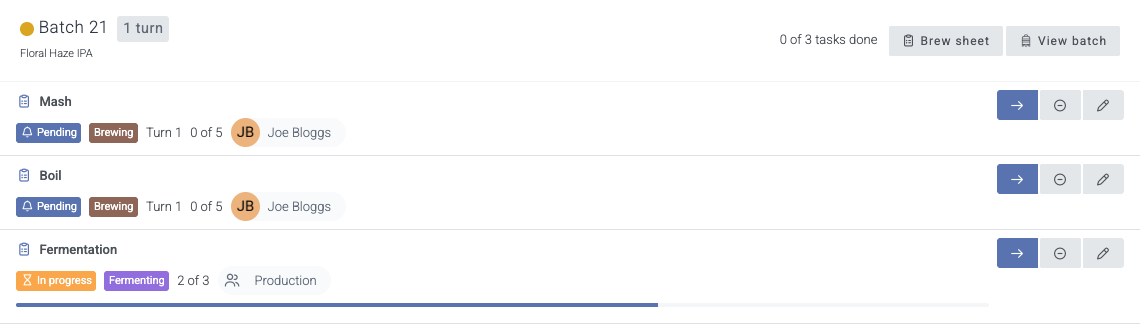
Breww now turns your production plan into tasks for your team, so everyone knows what they’re doing each day and nothing slips through the gaps. Tasks come from brew sheets (recipes), transfers, packagings, batch readings, and cleaning & maintenance records. Each one marks itself done as the work is recorded in Breww, so nobody has to record it twice.
A view for each role. Managers who plan the work get the Production task assignment page and the production calendar, where they can see everything open, who has it and what needs an owner. The team doing the work gets their production day: just their own tasks, with nothing to set up or filter.
Assign work automatically. Set standing rules once for who normally does each kind of work, and add staffing plan rules for time off, or if your shifts are more varied. New work goes to the right person or group without anyone assigning it by hand.
Prepare each brew. Before brew day, choose who handles each stage of a batch, and, if needed, give a single step, such as a dry hop, a task of its own.
Built for the brewery floor. Each person’s production day lists their work grouped by batch, built to use on a phone or tablet on the brewery floor, with one tap through to the brew sheet or record.
See the whole team at a glance. The production calendar shows who has what, day by day. Drag a task to another day to reschedule it, or onto someone else to hand it over.
Stay on top of what’s overdue. Headline counts show overdue, unassigned and due-today work, with bulk actions to assign, mark urgent, move or close tasks in one go.
Know what’s coming. Upcoming cleaning and maintenance, and work for batches you haven’t prepared yet, show on the calendar in advance. Task markers on the batch schedule show when each step is due.
A short setup guides you through assigning who normally does what, but if you have more complicated assignments, the staffing plan has you covered.
I’m really sorry about this, Oliver. A fix has just been released and will be live in about 15 minutes.
Just for anyone else reading this, this is not a widespread issue affecting many users.
Update 2026-09-30T09:30:00Z: I can confirm this fix is now live. If you have any further issues, please let us know. Apologies again for the issue here.
Thanks for all of the great updates to the Breww system that have rolled out over the last few days - some really useful additions!
One addition I’ve noticed is that brew sheets now allow steps to be skipped which is a great feature as some brew days don’t always go to plan and the brewer uses their judgement and experience at times to adjust things the fly and a step might be legitimately skipped.
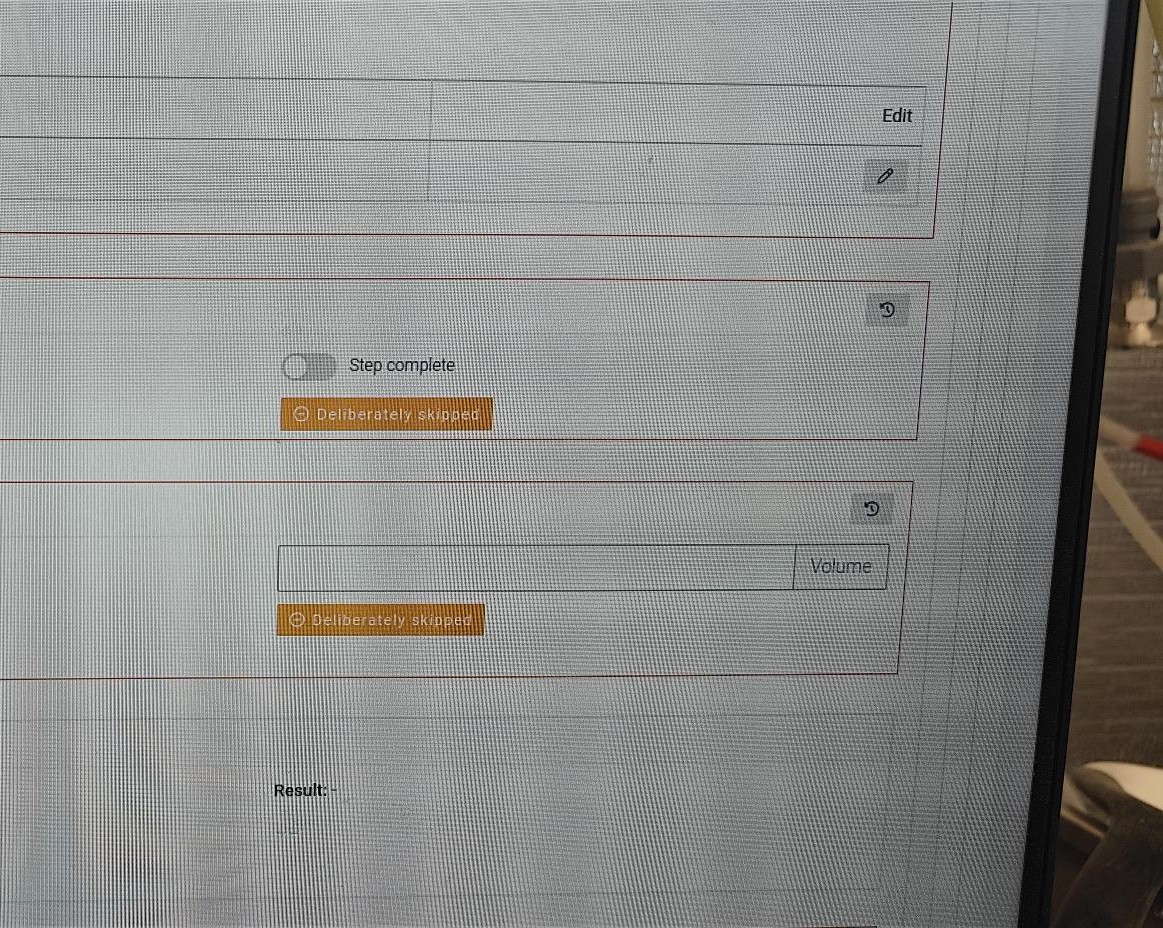
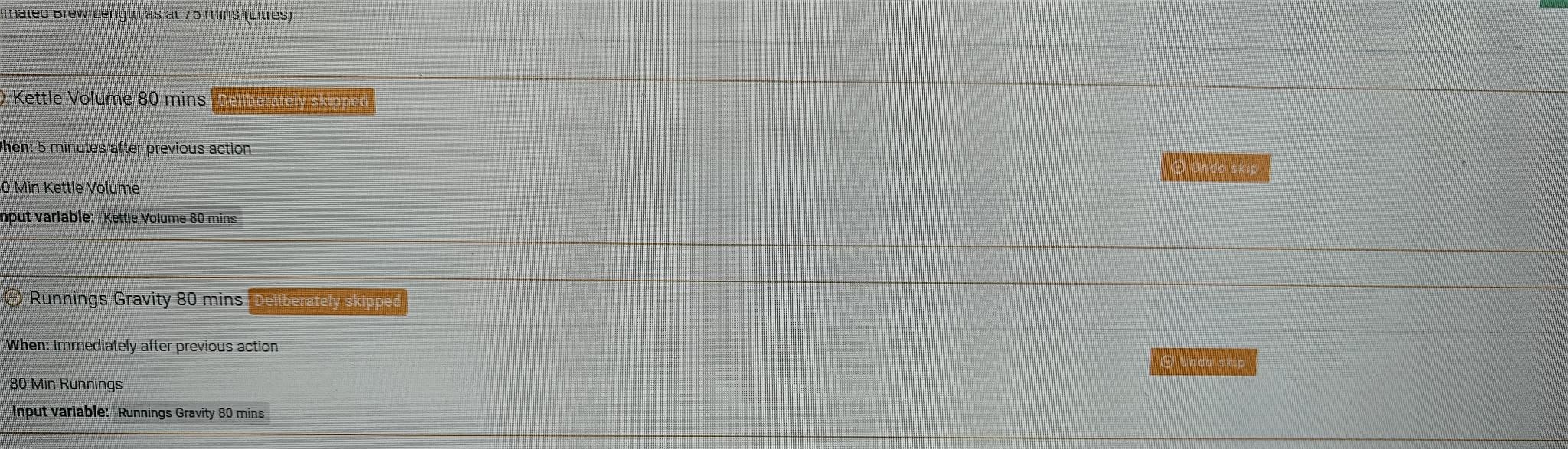
When using this feature, I noticed that the way it’s been implemented is slightly confusing. The button to initiate the skipping of a step is called “Deliberately Skipped”. It’s in the past tense and seems an odd way to describe something you’re going to do, but when I clicked it, I got a confirmation box to confirm the skip action. Functionally all good so far.
Afterwards the particular step that has been skipped has the same orange button (albeit on the left now) with the text “Deliberately Skipped”. This makes sense and it’s in the past tense which is correct.
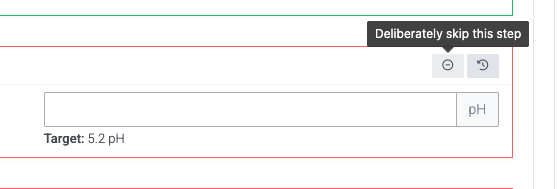
I think it would be much less confusing if the button to initiate the skipping of a step is called something simple like “Skip Step” or another set of words that are a clear “doing” action. Having the button to initiate the skip the same name, shape and colour as the confirmation afterwards is confusing and it caught me out a few times when I used this. Refer images below:
Thanks for the feedback, Richard. We agree and have adjusted the wording. We also decided to make the button subtler based on other feedback we received. The tooltip will show when you hover over the button, which is now just the symbol.
Hi, I don’t want any optional steps in our recipes but now almost all of the steps in ALL of our recipes are now optional! You’ve just made a load of work for me to have to go and change all of our recipes back by hand. Why not just leave them alone and leave non-optional as the default!
I’m sorry that this didn’t look right to you. Don’t worry, we haven’t converted anything to optional that wasn’t already optional. It’s just more obvious now that something is optional.
There is a message at the top of your recipe list explaining why we needed to do it this way, I’ve copied it below. There is also a button there to convert all your recipe steps to required; so please click that instead of editing each one by hand.
Wondering why some of your recipe steps are marked as “Optional”? Until recently, steps such as readings, checks, temperature changes, instructions and notes could always be passed over on the brew sheet, because there was no way to make a step required. When we added required steps, we kept your existing steps behaving exactly as they always had, so they are now labelled “Optional” rather than silently becoming required. Nothing can be skipped now that couldn’t be skipped before; it’s just visible. This is also why these steps have a skip button on the brew sheet, which records them as deliberately skipped.
Ok, so if they were “optional” before, how are the new “required” steps enforced? Do you have a link to a full explanation of this change?
You guys are always changing the way things work in BREWW and creating unnecessary work for those of us that were silently happy with how it was before and it seems like we are expected to be active participants in the “community” in order to keep up with what is going on.
I’ve lost track of the number of times I’ve come into work and the way that something important used to work has just been totally changed for no reason without warning. It’s really frustrating.
Thanks for coming back on this, and I’m sorry it’s been frustrating.
To answer your question: a required step has no skip option. On the brew sheet it stays outstanding until it’s actually recorded, and the brew sheet’s production task for that stage stays open until then too. An optional step can either be recorded as normal or marked as deliberately skipped, which counts it as dealt with and keeps a record of who skipped it and when.
Before this change, there was no way to make these steps required at all, so readings, checks, instructions and notes could simply be left blank and nothing flagged it. That is exactly how your existing steps still behave, which is why they’re labelled “Optional”. If you’d prefer every step to be required, the button at the top of your recipe list does that for all recipes in one go, so there’s no need to edit them one by one. There’s a full explanation here in the Recipes & brew sheets help guide.
On keeping up with changes: you shouldn’t need to be active in the community for that. Every announcement also appears inside Breww itself under the announcements icon, which shows a count when there’s something new, and you can choose to receive major feature announcements (like this one) by email.
I do want to be clear that this change hasn’t created any work for you. Your steps were always optional, your recipes and brew sheets work exactly as they did before, and nothing needs changing unless you’d now like some steps to be required. I accept the new label was alarming without an explanation next to it, which is why we made some tweaks since the original launch.
On the wider point, I do understand the frustration. We release improvements to Breww most weeks, nearly all of them because breweries have asked for them, and standing still would mean Breww slowly falling behind what you need from it. That isn’t in anyone’s interest. So we will keep improving Breww, and we’ll keep doing our best to make sure those improvements never cause anyone extra work.
I read the help section that you linked to but I still don’t understand how the non-optional steps are are actually enforced.
If I don’t complete a required step, what happens then? You have said “On the brew sheet it stays outstanding” but then what? Does that prevent the batch being transferred out of the brewhouse or does it just show up as an “alert” on the production homepage?
Good question, and to answer it directly: no, an outstanding required step does not stop the batch from being transferred or packaged. Nothing in Breww is blocked by it.
What “required” changes is this:
The step has no skip option, so the only way to clear it is to actually record it.
Until then, it stays showing as incomplete on the brew sheet.
On the production dashboard, the batch’s “Next recipe step” stays on that step until it’s recorded. Skipping an optional step moves it on to the next one, which previously wasn’t possible: a step left blank would sit there as the next step for the rest of the batch.
If you use production tasks, the task for that stage of the brew sheet stays open, and shows as overdue once its due date has passed. A stage’s task only closes when every step in it has been recorded (or, for optional steps, skipped).
It makes a missed step visible and keeps it visible, rather than physically preventing the brewer from carrying on.
You mentioned alerts on the production dashboard. Outstanding required steps don’t appear under the Alerts tab at the moment, but that’s something we could add if it would be useful to you? It would make them easier to spot for breweries who choose not to use production tasks.