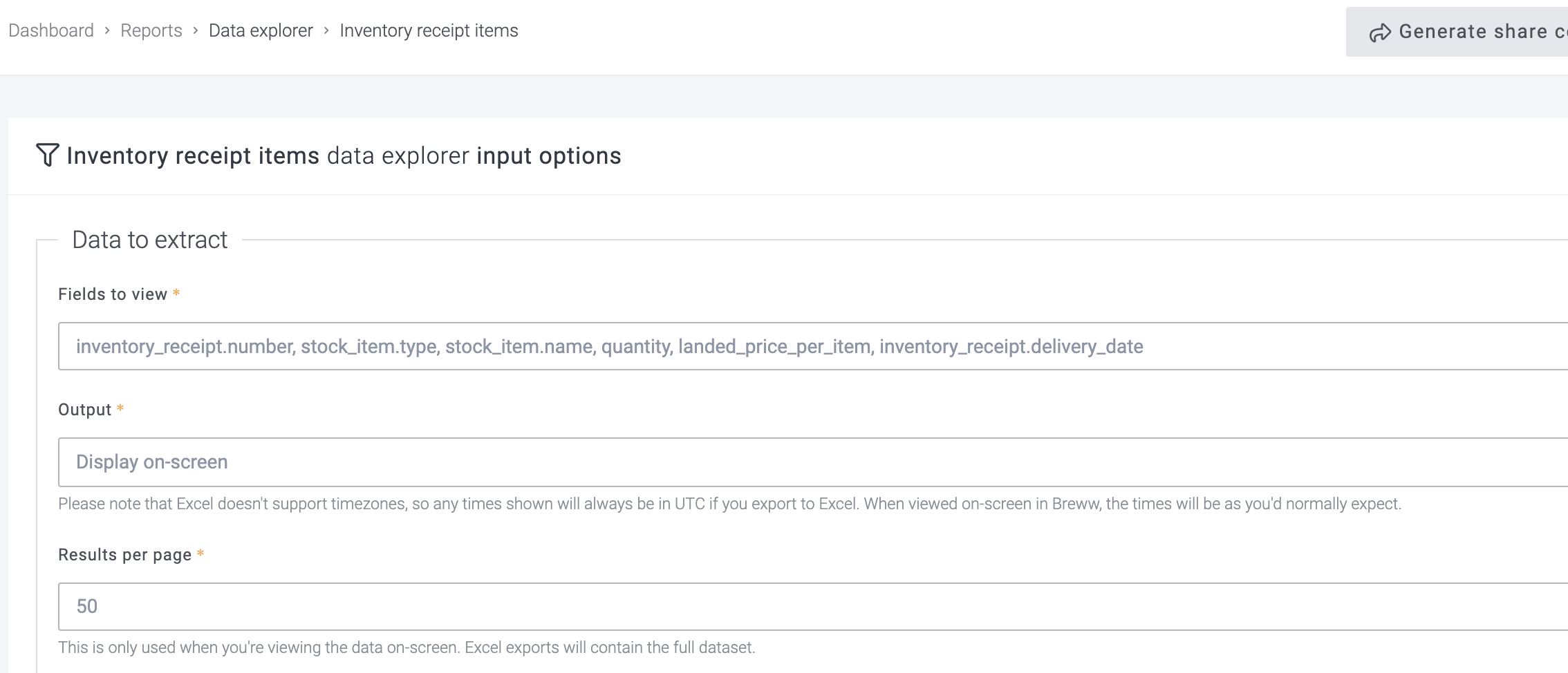
Could we please update the Inventory Receipt Report to make it more user-friendly and allow for easier monitoring of price changes? Here are the specific improvements I’m requesting:
Date Brackets:
Option to filter the report by specific date ranges.
Supplier Selection:
Ability to include all suppliers or select a specific supplier for the report.
Export Options:
Ensure the report can be exported in both CSV and Excel formats.
Additional Column:
Please add a column that shows when each delivery was added to stock.
Thanks for the suggestions, Sylwia. When you say “Inventory Receipt Report” which page/report are you referring to? If it’s easiest, you can include a link to the report here so we know for certain which page you’re referring to.
Hi Luke
Please see the screenshot, I would suggested to standardised all the report to be able to download as an Excel with making choices of the column and all information related to that report.
You can already do pretty much everything you have asked for on this report. You can choose which columns to include in the report, filter by date/supplier and export to Excel (but not CSV).