Case study:
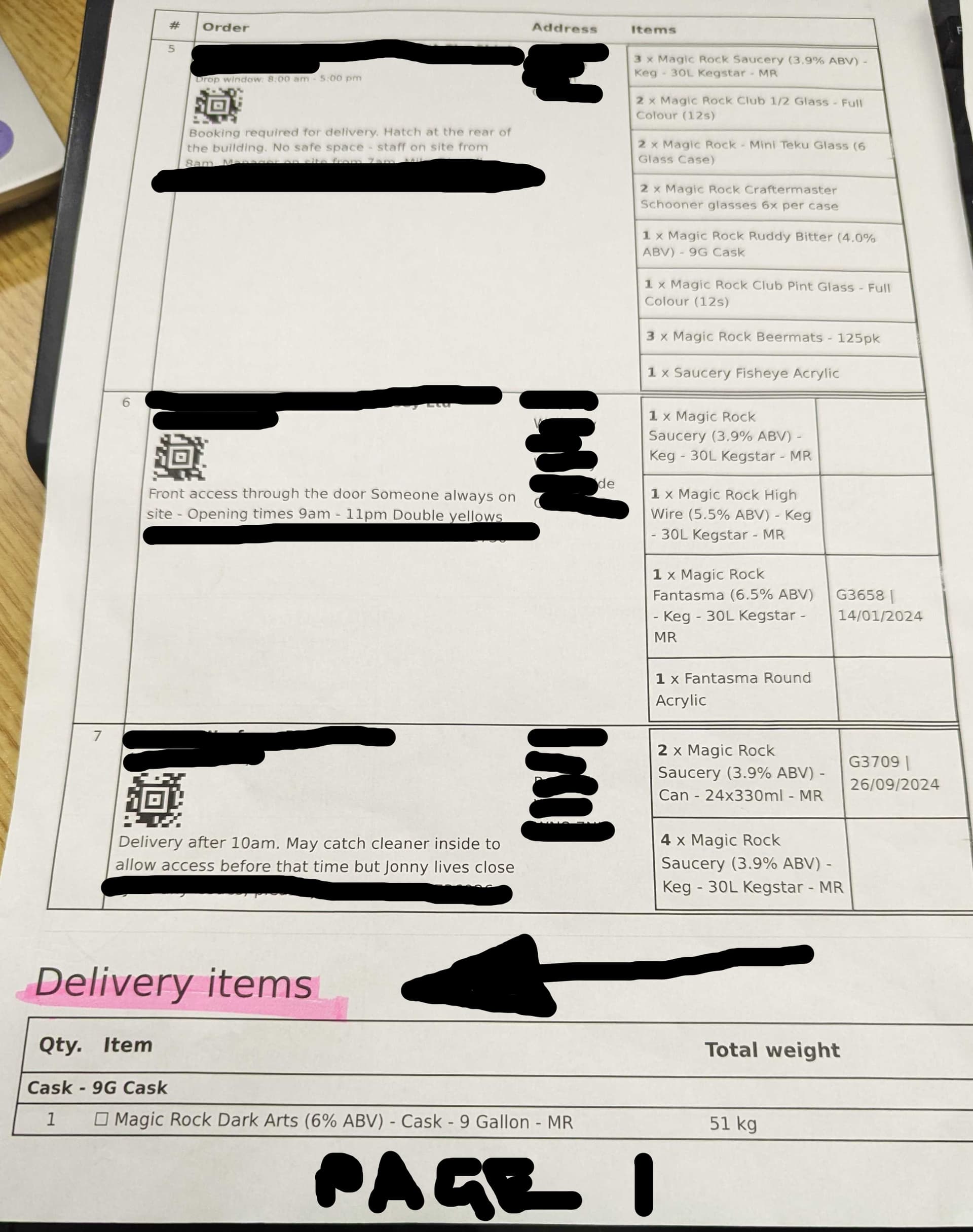
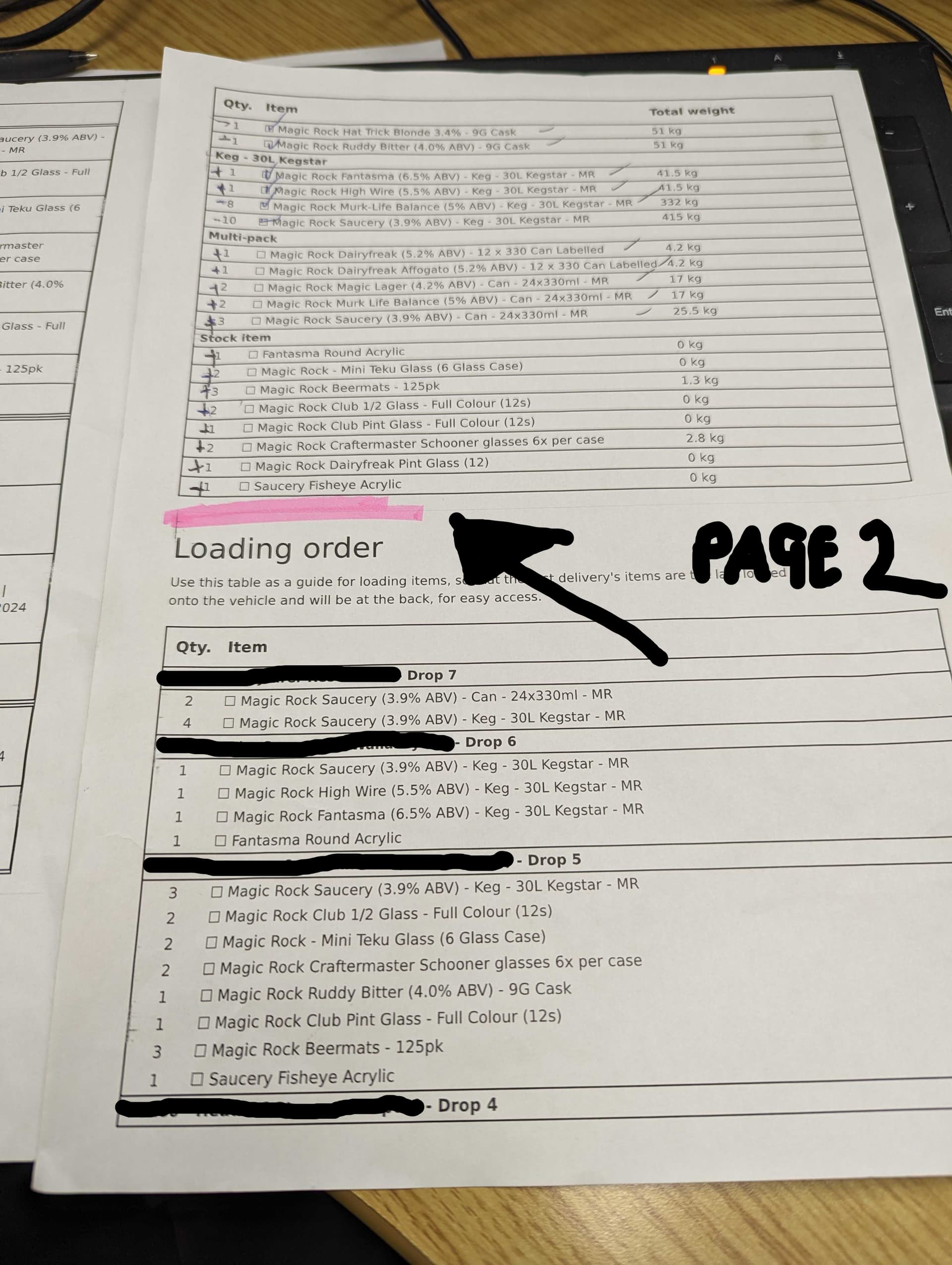
We recently had a mispick on a van because the “delivery manifest” when printed, had split the “delivery items” section across two pages, and it caused the top line of the “delivery items” to not be picked, and when the sheet was handed to another member of staff to check off, it was not clear that there was indeed a previous page… so the single item on page 2 was not included with the rest of the items on page 3 (if you see what i mean
request:
it would be really nice… if… maybe after the “itemised orders” section, before the “delivery items” section, there was a page break so the “delivery items” begins at least on a new page?
OR
Could we potentially switch around the printing order so that the itemised orders appear AFTER the “delivery items” section?
PS - i am aware that there are several ways we can mitigate against repeat occurrences of this mispick, but as a good solid foundation, the above points would really help.
a) we now highlight in pink… the words “DELIVERY ITEMS” and the space AFTER that section.
b) we are now trying to also run with the concept of getting our van drivers to allocate all their stock to orders before leaving the warehouse - not their favourite thing to do, but it helps.
(i know i got the page numbers wrong on my pics but you get the idea how a line was missed)
thanks
Jason
