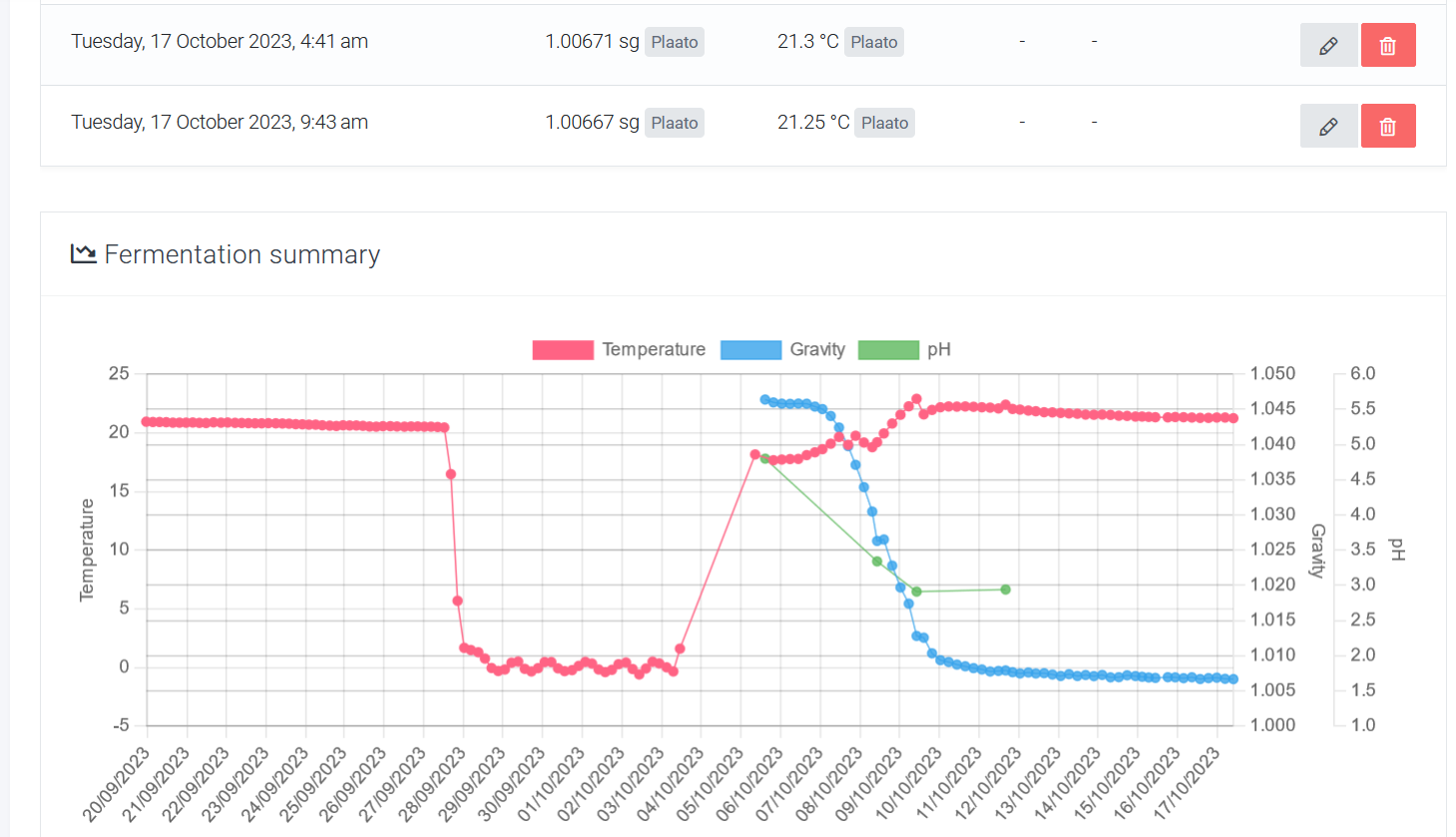
A mistake in entering production dates has highlighted a shortfall for us in fermentation analysis. Production day was mistakenly entered as 10/5/23 instead of 5/10/23, which led to Plaato automatically populating the time period with 5-6 temperature readings every day the unit was on. If I’d used this unit for more than one brew, it could’ve uploaded as many as 600 temperature readings. This is a relatively minor problem, but the only way to remove these reading appears to be a one by one basis which isn’t very practical for 600 readings.
If the fermentation logs were manageable as a table in browser, or if there were tools to manipulate the graph axis to focus on specific periods of time I’d be able to exclude the data immediately rather than cropping a .png. The data would also have some more use inside Breww as a metric, rather than a pretty picture and a convenient mobile upload tool.
At this stage I’d rather all fermentation data for a batch go into a .csv so there’s the opportunity for it to be multipurpose. Maybe I’m missing something but I don’t think I can export the fermentation data for a batch out of Breww?
